
Automating blog posts in 2025 means using AI and simple tools to write, format, and post blogs without doing it all by hand. It saves time, helps you put out more content, and keeps your quality steady across the board. With tools like ChatGPT, WordPress, and Zapier, you can write and publish blogs automatically while still keeping your brand’s voice and tracking how each post performs.
Key Takeaways
- As we head into 2025, it’s key to understand blog automation. AI tools can now write and post content for you, saving time so you can focus on bigger goals.
- Adding automation to your SEO plans helps you post often, grow your brand’s trust, and keep your audience engaged.
- Use tools like ChatGPT and Zapier to speed up tasks like writing titles and posting blogs. This keeps your content flowing with less hassle.
- Check how your posts are doing with tools like Google Analytics. This helps you tweak your plans, boost content, and get better results.
- Don’t skip the human touch. Always review AI-written content to make sure it sounds right and fits your brand.
For agencies and service teams, automation isn’t just about speed—it’s about growing the smart way.
You can turn out blog posts that match your tone, target the right searches, and help your audience find you more easily.
That’s a win for your brand—and your time.
If you run a marketing agency or service-based business, you know how tough it is to keep up with content.
That’s why choosing to automate blog posts isn’t just helpful—it’s a game changer.
In 2025, staying on track and scaling your content across clients or services could be the key to growing your brand instead of falling behind.
Tools You’ll Need to Automate Blog Posts

To automate blog posts in 2025, you’ll need tools that are easy to use, work well with SEO, and fit your workflow.
It’s not just about mixing a few apps and hoping it works.
Blog automation today needs the right combo of tools, and we’ve looked at top choices so you don’t have to.
ChatGPT is still a solid pick for writing SEO-friendly content that sounds like a real person wrote it.
It works even better with Aura AI, which adds strong writing, SEO skills, and detail to the speed and reach of AI.
Use it with Google Sheets to keep track of blog topics, outlines, and post status in one place.
This setup is great for agencies juggling blogs for many clients, making the workflow smooth and simple.
For publishing, WordPress is a top choice thanks to its plugins and SEO setup.
Add Zapier to the mix to link tools together so steps like making drafts, adding metadata, and setting post times all run on their own.
This keeps things on schedule without needing to do everything by hand.
There’s no one-size-fits-all setup.
Your tools should match how you work.
Whether you post once a week or every day, make sure your tools play well with your SEO blog writing process.
When done right, to automate blog posts isn’t just helpful—it gives you an edge.
Step 1: Set Up Your Content Source
Before you automate blog posts, you need to give the system what it needs.
Every smooth workflow starts with a clear and steady content source.
Whether you’re starting with fresh ideas or using transcripts, website copy, or outlines from clients, the goal is to keep things neat, on-brand, and easy for your tools to use.
We suggest using Google Sheets or your CMS as your content base.
These tools are cloud-based, flexible, and work well with many automation platforms like Zapier or Activepieces.
Think of your sheet or CMS as your launch pad—a solid space to store content ideas, brand notes, topic tags, or seed keywords before handing them off to AI.
But this step isn’t just about setup—it’s also about tone.
Just because you automate blog posts doesn’t mean they should sound dull or off-brand.
You still need to add your voice, use the right terms, and meet your goals.
Add prompts, links, or notes to help guide the tone and keep it true to your brand and your audience.
Skip this step, and you’ll be stuck trying to fix things later.
Get your content source right from the start, and every part after—titles, drafts, and uploads—will run smoother and scale better.
Good input leads to great results.
Step 2: Automate Blog Title Generation
Let’s be real—coming up with a blog title every week can feel like trying to name a hit song.
It’s not easy.
That’s why learning how to automate blog posts, starting with title creation, is a game-changer in 2025.
With tools like ChatGPT, OpenAI, and QuickCreator, you don’t need to spend hours thinking up headlines.
These tools use smart tech to create titles that make sense, grab attention, and help with SEO.
They work off your keywords, match what people are searching for, and follow best practices for getting found online.
To streamline this, link your content source (like a Google Sheet or CMS) to your AI tool using platforms like Zapier or Make.
This keeps your process fast and smooth.
You’ll get clear, brand-friendly titles every time—without overloading your team.
If you run a marketing agency or service-based business, this one step can save you big chunks of time.
And it helps each post start strong.
Titles matter—they’re what people see first.
When you automate blog posts by using AI for titles, you boost your chances for more clicks, more trust, and more views right from the jump.
Step 3: Automatically Generate Blog Content
Once your titles are ready and your content source is set, it’s time to automatically generate blog content.
In 2025, you don’t have to write every post by hand or hire a bunch of freelancers.
Tools like Aura AI now help you create strong first drafts fast—without losing voice, facts, or SEO.
To automate blog posts well, you need to build clear, structured prompts.
Think of it like giving an easy-to-follow recipe—what comes out is clean, on-brand, and made to rank.
At LocalLeadsAi, we use SEO-friendly headers, smart keyword use, and clean formatting so your content doesn’t just read well—it performs.
If your prompts are unclear, the output will be too.
That’s why we set clear rules in our automation system to avoid repeat content, off-brand tone, or weak SEO.
Aura AI is trained to match your style, use the right facts, and work within Google’s E-E-A-T standards.
To automate blog posts isn’t to lose the human touch—it’s to expand it in a smart way.
With the right setup, you get speed and strong content together.
That’s how today’s top agencies and service brands grow—without burning out.
Step 4: Automatically Format and Post to WordPress
Once your content is ready, it’s time to put it out there.
In 2025, the need to automate blog posts all the way to publishing isn’t a nice-to-have—it’s a must.
Tools like Zapier and Activepieces make it easy to take your blog and send it live to WordPress without logging into the backend.
This is where the real time-saving boost kicks in: formatting and SEO are handled for you.
When you automate blog posts, things like meta tags, SEO slugs, featured images, and data setup are done for you using your template.
So your posts go live already polished and search-ready.
If you run an agency or service business, you don’t have time to tweak line breaks or fix how images line up.
Automation makes sure each blog follows your brand’s style and SEO rules—every time.
You can also plan posts to go live when your readers are most active.
This keeps your SEO strong and your brand steady.
We help you stay on track, with posting that’s both smart and timely.
With LocalLeadsAi, there are no more delays or extra steps.
You’re not just saving time—you’re growing smarter.
Step 5: Automate Image Insertion and Media Embeds
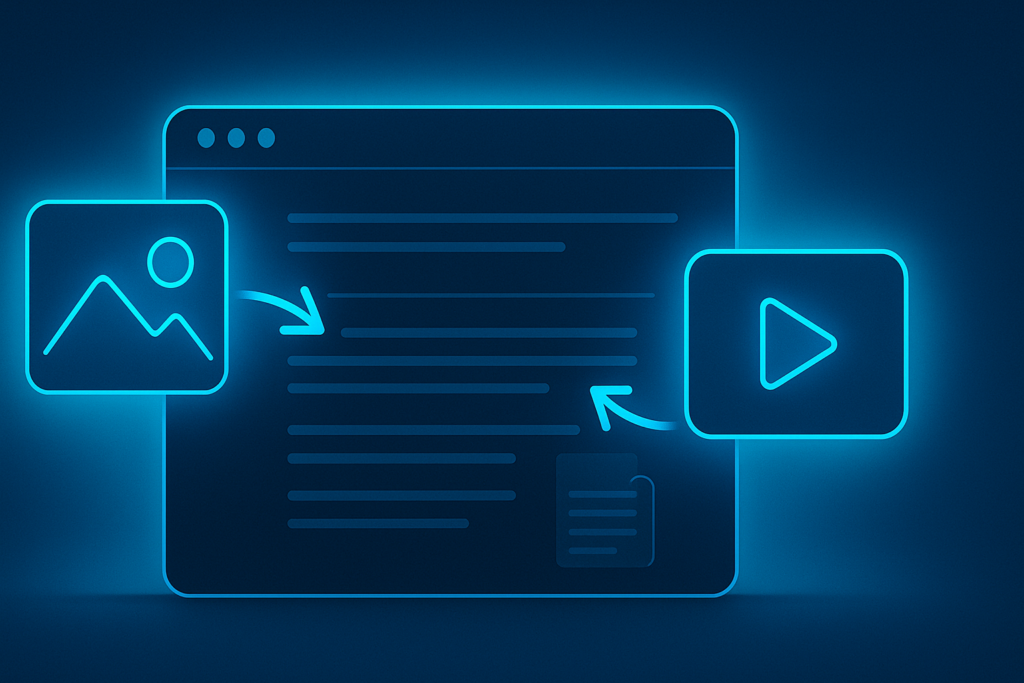
A blog post with no visuals? That’s like serving top-shelf coffee in a paper cup—it works, but it falls flat.
In 2025, if you want to automate blog posts the right way, adding media like pics, videos, and charts isn’t a nice-to-have—it’s a must.
The good part? You don’t need to add it all by hand.
With the right setup, media can be added on its own, based on your content, keywords, or even video timestamps.
Tools like WordPress plugins, Zapier, and Airtable can pull in featured images or match stock pics to fit your topic.
You can also set up videos from YouTube, Loom clips, or branded charts to show up as needed.
These media pieces do more than make your post look good—they boost views and help with search rankings.
To stay on track with SEO, every image should be the right size, fit the topic, and include alt text with your target keywords.
This makes your content easier to find and use.
You can also plan when to drop in images or videos to keep your posts looking sharp as you grow.
If you’re handling more than one client or service, the power to easily automate blog posts with visuals gives your content more punch.
By adding AI-made content and visuals together, you’re not just saving time—you’re boosting your brand online.
Step 6: Let Your Team or Clients Know Right Away
Once your blog is live, the next step is to let your team or clients know—and let’s face it, no one wants to spend all day copy-pasting URLs into emails.
That’s one big reason people choose to automate blog posts: it also makes it easy to automate how you send updates.
With tools like Slack, email, or your CRM, you can plug them right into your content setup.
Platforms like Zapier make it simple to send out alerts the moment a blog goes live—these updates can include the blog title, a short blurb, and a link.
Whether you’re working with teammates or clients, quick updates like these save time and keep everyone in sync.
These alerts do more than just let people know a post is up—they help your team react fast.
Your social media lead can share it right away, your SEO team can watch how it performs, and your clients won’t need extra emails or calls to stay in the loop.
At LocalLeadsAi, we built our services to keep you and your clients informed without wasting time or flooding inboxes.
When you automate blog post notifications, you don’t just save time—you also show that you run a sharp, pro-level operation that works smarter, not harder.
OmniAutomation’s Aura AI blends clear writing, sharp SEO, and quick delivery all in one.
It gives you clean, ready-to-rank content in minutes, no matter your business size.
AURA AI stands out for top-tier blog services because it offers fair pricing, endless scale, and top results online.
Behind it is a skilled team of prompt engineers, SEO pros, and web developers that make sure Aura always delivers.
Step 7: Track Performance of Automated Posts
So, you’ve learned how to automate blog posts — now it’s time to see how they’re doing.
If you don’t track their results, you’re just guessing.
That’s why checking how your posts perform is so important.
With tools like Google Analytics and GA4, you can link your automated posts to a simple dashboard.
These tools show key stats like page views, bounce rates, time on page, and how much organic traffic you’re getting.
This tells you what your readers like and where there’s room to improve.
It’s not just about clicks — it’s about knowing if your content is useful and hits the mark.
For more SEO data, Search Console gives info on keyword rankings, impressions, and click-through rates.
This helps you fine-tune your plan and improve how you automate blog posts with each new round.
Need help reading the data?
Our team can break it down and guide you on how to build a better plan.
At LocalLeadsAi, we believe content should have purpose — and we’ll help make sure yours hits home.
Step 8: Keep a Human Touch and Check for Quality
Even in 2025, with all the tools out there to automate blog posts, there’s one thing tech just can’t match—your voice.
That’s why it’s smart to keep humans in the loop.
At LocalLeadsAi, we think automation should boost your content, not turn it into boring robot talk.
So we say mix AI’s speed with your real-world skills.
The power of automated content is how fast and far it can go.
But to make sure it still sounds like your brand and shows your values, you need to check it.
Set up times to review the posts, smooth out the flow, and make changes that help the message hit home.
Editorial steps help your team stay on track and keep every blog true to your style.
By 2025, Google’s E-E-A-T rules matter more than ever.
If you automate blog posts, meeting those rules means more than just good looks—it means smart, real content that speaks to people.
That’s where human review comes in.
It’s not just about posting a lot, it’s about posting right.
Think of AI as your helper.
It’s strong, but you still lead.
Find the mix between speed and care, and you’ll grow your blog while keeping it sharp, real, and on-brand—just like it should be.
FAQ: about how to automate blog posts
If you want to automate blog posts fast without losing quality, we think our Aura AI platform is your best bet. It mixes smart writing, strong SEO, and AI speed. You can also use tools like Zapier, WordPress, or Google Sheets to help with parts of the work, but nothing beats one system that gives you SEO-ready, brand-safe posts every time.
Yes—if you do it right. In 2025, Google’s smarter than ever. It looks for content that shows skill, trust, and value. If you automate blog posts using AI that’s built with these ideas in mind—and you use smart keyword choices, clear layout, and easy-to-read text—your posts can still compete on search pages.
Keeping your brand strong means using good prompts, clear voice rules, and a bit of human review. Even the best AI needs your input. With our setup, you pick the tone and style once, and we use it for each post. A quick check now and then from your team (or ours) helps keep it on track.
A solid blog automation checklist should cover: picking a source for your ideas, setting up titles, writing the post, adding format and media, scheduling it, letting your team know, tracking how it does, and checking on it often. These steps help your automate blog posts system stay smart, smooth, and true to your brand.
What would help you feel confident using automated tools for your blog in 2025?
